

Managed IT Service Provider in Calgary
February 16, 2026
How a Managed IT Service Provider in Calgary Helped a Construction Company Unlock Better Reporting Without APIs At Tursa Group, we’re often brought in when businesses hit a technology wall—when their systems work individually but don’t communicate with each other. As a managed service provider in Calgary, we specialize in solving exactly these kinds of
Cybersecurity Training for Employees & Key Benefits
June 19, 2025
Cybersecurity training is crucial for businesses in 2025. Having a solid cybersecurity awareness training program in place can significantly decrease your organizations risk.
The Significance of Cybersecurity Training for Employees and Its Key Benefits
June 19, 2025
Cyber threats are growing more sophisticated, putting sensitive data at risk. Organizations face constant attacks from cybercriminals and malicious software aimed at breaching their defenses. Shockingly, a report by Cybersecurity Ventures predicts that global cybercrime damages could escalate to $10.5 trillion annually by 2025. With the human factor often representing the weakest link in security,
Co-Managed IT Services VS Internal IT Staff
June 12, 2025
Co-managed IT services vs internal IT staff. Learn co-managed can improve efficiency, decrease internal IT costs and increase cybersecurity within your organization.
Questions To Ask Prospective Managed IT Service Providers
December 30, 2024
We have created a list of questions that your company should ask your future managed IT service provider. The questions will help you figure out your requirments and if your chosen MSP can fullfill them.
Benefits of Temporary IT Staff
January 18, 2024
How much does your company spend on new hires every year? Use our online calculator to find out, and consider hiring a temporary IT staff memeber in the future!
Case Study For Managed Support vs Internal IT Department
January 3, 2024
This case study shows one of our clients transitioning from an in-house department, to fully managed IT support services.
Cyber Security – Passwords and MFA
October 20, 2023
The first step to protecting your business from cyber crime is by having long complex passwords. Learn the different tools to protect your business’s intergurity.
What criteria to use when selecting Cloud software
September 23, 2021
Here is a simple list of criteria that cloud software must have before we will consider recommending the software to our Customers. Software Criteria 1. Does the software have a Marketplace? This increases your chances of out-of-the-box integrations and gives your company flexibility in your choice of CRM or Project management software. Google and Intuit
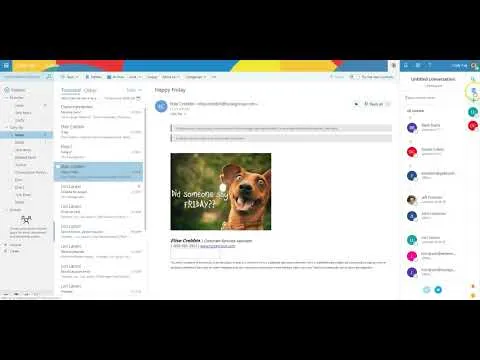
How To: Use Skype In Office 365
February 25, 2019
The listed video covers how to use Skype for business in Office 365 to chat with colleagues on group projects, call clients, screenshare, or host a conference call.